A robot with a camera can do more than record its surroundings. Computer vision turns camera images into information the robot can use to find objects, judge distance, avoid obstacles, and act.
Quick read
- Cameras give robots visual data; software turns that data into decisions.
- Vision helps with picking, inspection, navigation, and safe movement.
- Poor light, blocked views, moving objects, and bad training data can still cause failures.
How computer vision works
A camera collects images as pixels. Vision software then looks for useful details, such as edges, colors, shapes, labels, or familiar objects.
The software may detect a box, locate its center, and estimate its position beside the robot. That result gives the control system a target. The control system can then move an arm, adjust a gripper, or change its route.
Some systems use one camera. Others combine cameras with depth sensors, LiDAR, force sensors, or wheel data. A depth sensor adds distance information, while force sensing tells the robot what happens after contact.
That mix matters because a flat image doesn't always show size or distance. A small object nearby can look similar to a large object farther away, so the robot needs more information before it moves.
Where robots use vision
Factories use cameras to check parts for cracks, missing pieces, or the wrong shape. The robot can compare each part with set limits and send a faulty one aside.
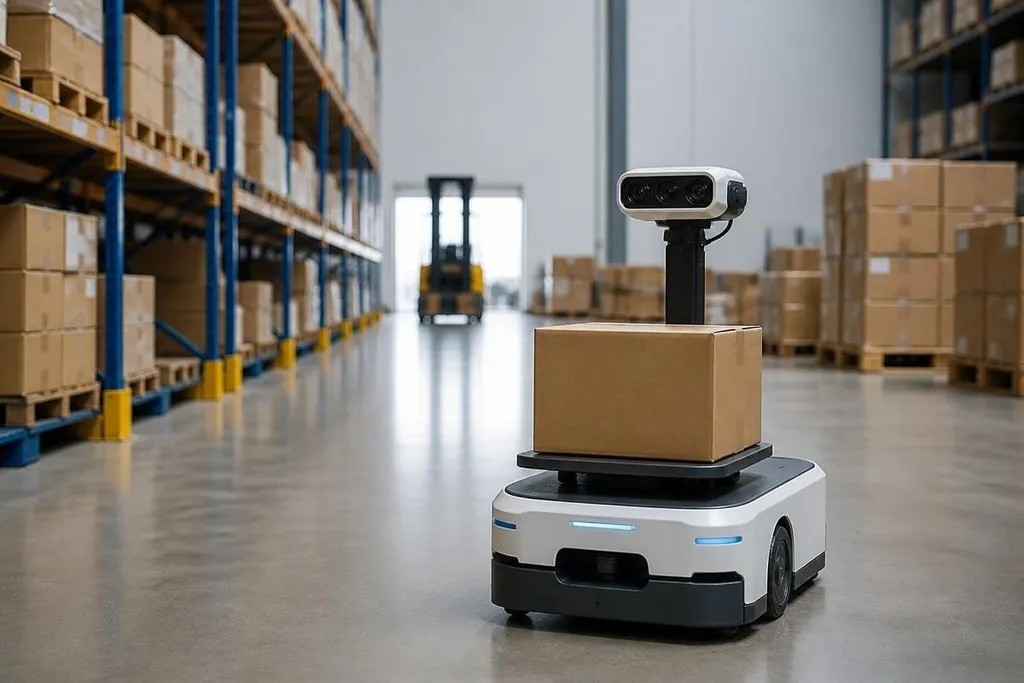
Warehouse robots use vision to find packages and read labels. An arm can locate a parcel in a bin, plan a grip, and place it on a conveyor. The task gets harder when packages overlap or arrive in different boxes.
Mobile robots use cameras to read their surroundings while they move. Vision can help identify doors, shelves, people, and floor edges. As it moves, the mobile robot combines those signs with its movement data to estimate where it is.
Agricultural robots can use images to tell plants from soil or spot fruit among leaves. Service robots may use vision to recognize rooms, objects, or people who have asked for help. Each task needs its own data and tests.
Those systems still need to work when light changes or a person blocks the camera. Robot24.com robotics coverage adds named machine examples before the next section looks at where vision fails.
Vision is useful, but it can fail
A camera only sees what reaches its lens. Glare, dust, shadows, fog, and a blocked view can make a known object look unfamiliar. A label may be clear to a person and unreadable to the robot because it is bent or partly covered.
Wrong choices can also happen when the scene differs from the robot's training data. A vision model trained on clean images may struggle with worn packaging, unusual colors, or a new layout.
Timing creates another problem. A moving object changes position while the robot processes the image. The control system must account for that delay, or the gripper may reach the place where the object was.
I’d treat vision as one sensor in a larger system, not as the robot’s complete view of the world. A safe design checks camera input against distance, contact, position, and stop signals before the robot acts.
What to check before choosing a system
Computer vision can make a robot handle more tasks, but the setup still needs a clear test plan. Check these points before you buy hardware or build a pilot:
- Define the task: name the object, action, speed, and allowed error.
- Test the real scene: use the actual lighting, surfaces, labels, and object positions.
- Measure failure cases: record missed objects, wrong picks, false alarms, and stop events.
- Check sensor reach: confirm that cameras can see the work area when the arm, box, or person blocks part of the view.
- Plan for change: decide how the system will handle new parts, moved shelves, dirty lenses, and damaged labels.
These checks connect the software to the job you need done. A model that identifies objects in a test image may still need more work before it can guide a robot through a full shift.
What comes next
The useful step ahead is better testing in changing conditions. Robots will need vision systems that report uncertainty, ask for help when a scene looks unfamiliar, and work with other sensors when the camera cannot provide enough information.
That keeps the question practical: can the robot see the right object, at the right distance, under the same conditions it will face every day?